Technology Thursday is a weekly linky dedicated to all things technology related. Check out our Linky Parties page for details on how to link up!
It is time for Tech Thursday! This post is going to be all about creating long pins using PowerPoint. I have even created a video (wah... I can't believe I am sharing it with y'all... I sound like a looney-tune). I hope that this post helps you create some amazing long pins for your products!
There you have it! Yep... I ramble. Sorry!! This was the first video I have ever made, so hopefully the future ones will be little better! Just so you know... my lowercase d key now works. Not sure what was happening during the video. Technology sometimes... :) Link up below with your Tech Tips for the week!!
The Favorite Things Linky is a great way to share your 3 favorite anythings! Grab the template and button and link up below! If this is your first time linking up, check out our Linky Parties page for more details!
Juliet and I just finished our week-long standardized testing. This got me thinking about my favorite things to do after the test is over. Here are a few of my favorites...
Take time for art
On test days, we usually test all morning and still have the afternoon with our students. I don't like to do any heavy academic work after the test, but I also know that I need to provide enough structure to keep my class in line. One of my favorite things to do is incorporate art activities that we never have time for on "normal" days. Jen from Runde's Room has lots of art activity ideas on her blog. A favorite every year is her "I am" poems. I love to see the great things my students write about themselves, and I know it helps their (sometimes delicate) self-esteem in the tricky adolescent years. We're working on them today, so hopefully I'll be back tonight to add some pictures, but trust me, it's worth a trip over to her blog to check them out!
Try new things
Once the test is over, I feel safe to try new, different things in the classroom. A couple of years ago, I used this time to try Flipped Classroom lessons in Math. It went so well, I did it all the next year. (I'd have done it this year too, but this class is just different.) Last year, I did book clubs for the first time. I haven't quite figured out what I'm going to try this spring, but I know whatever it is, I will be so glad to have testing out of the way so that I can take a risk on something that just might be amazing!
Teach! Just teach...
When I tell other teachers that the "big test" in our school system is given in February, it is often met with shock and sympathy. For a long time, I felt the same way, but I have recently changed my tune.
Most teachers I know spend the two months between winter break and testing teaching our hearts out, trying to get everything covered in time. We constantly feel the ticking of the clock, and it causes way more stress than it should.
But once the test is over, we're free! We are free to do what we love most, TEACH! No longer do we feel bound to curriculum pacing guides or even our own lesson plans. Students have loads of questions about a topic? Instead of feeling like we don't have enough time to spend on it, we dive right in without a care in the world. We teach the way teachers were meant to teach, and our students learn the way they were meant to learn. Free from the pressure of preparing our students for "the test," we are able to do what we do best! That is by far my favorite thing about the end of the test week.
What are you looking forward to doing after your testing is over? Has anyone else already tested like us?
The Sunday Scoop is based on the popular 3-2-1 graphic organizers so many of us use with our students. Tell us three things you HAVE to do, two things you HOPE to do, and one thing you're HAPPY to do. If this is your first time linking up, check out our Linky Parties page for details!
It's Five for Friday time, and I'm sharing a little peek at the past two weeks!
Last week, we had the entire week off for #snowpocalypse2015, which I know is completely hilarious to our northern friends {Cassie!} because we only had 7-ish inches of snow. Around here, though, no one is prepared for that much, and no one can drive in it! I thoroughly enjoyed my week off with my family! The county schools were actually out a week and a half!
This past weekend was so much fun! I went to the EdExpo in Atlanta, where I met Cassie for the first time in real life. We hung out with some incredibly talented bloggers and teacher-authors on Friday & Saturday before heading to the expo on Sunday. There, we were able to see some of the latest and greatest education products. I even got to bring some goodies back to my class, and have already used them! I'll be posting on my Chalk & Apples blog very soon with some of my favorite new products! This one, by far, is my #1... You'll have to check out my blog post to learn more about it!
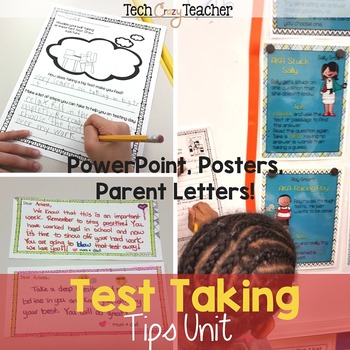
Perhaps the worst possible time for a "Snow Week" is the week before your school's standardized tests are scheduled. This is the ONLY thing that kept me from completely relaxing during my unexpected time off. We delayed testing by two days, thank goodness! During those two days, I reviewed test-taking tips & prepared my students as best I could for the test. They absolutely loved the new "Smart Family" test-taking tips pack from Tech Crazy Teacher! Having used them for three years now (perks of working at her school!), I can attest that they really do stick with my students, and keep them focused on good testing habits.
One of my favorite things to do during test week is cover all of the educational materials on the walls... said no teacher ever! I make the best of it by leaving my kiddos an encouraging note. In huge print. Right on the wall. They love it! I like to think that it helps in some small way for them to know I believe in them.
No test season would be complete without some fun review games to make sure they haven't forgotten everything they've learned! Tired of the same old Jeopardy-style games, I headed to TPT in search of a better idea. What I found was perfect! The Bazinga review game and Love, War, & Lightning are both review games for any subject, so you just add your own questions to them. Both games involve some surprises that the kids absolutely love! In Bazinga, you might have to do the YMCA dance or stand on one leg to get your points. In Love, War, & Lightning, you sometimes earn points, but sometimes lose them, and occasionally, you get to trade points with another team! The variety of actions keeps my class engaged the entire time. Best of all, they are both FREE on TPT!
Head over to DoodleBugs to check out what everyone else has been up to!
Technology Thursday is a weekly linky dedicated to all things technology related. Check out our Linky Parties page for details on how to link up!
The other day someone in a Facebook group was wanting to know URL's for Google+. I must admit that I haven't really gotten too deep into Google+ waters yet so I had no idea what mine was. I know my Facebook URL, my Pinterest, my Twitter, my Instagram, but Google+...no idea.
Okay, first some of you (my mom) probably think you don't know what a URL is. You actually do but may not know the technical term for it. URL stands for Uniform Resource Locator. It is simply where a page or file is located on the web. For example the URL for this blog is: http://teachingtrio.blogspot.com/. It is that long web address you see at the top of your internet browser when you are on a web page. You have probably copied the "link" (URL) and pasted it in an email to send to someone else so they can view the same information you viewed.
So how do I find out my URL for Google+? Of course I googled it!
Before we get to the URL stuff, let's go over some basic Google+ information.
What is Google+?
Google+ is a social network. It is, however, built off of your Google account (or accounts if you are like me). The premise of Google+ is not to connect you to only friends and family but to connect you to other like-minded people; people who have the same interests as you do. Ara Wagoner has a great post about the benefits of Google+.
Not everyone has a Google+ account even if you have Gmail. There was a time that Google was forcing folks to sign up for Google+ but that has been shelved. If you wondering if you have Google+, you will see the + and your name at the top right hand side of the computer screen while you have your Gmail account open.
Google+ Basics
Circles: You can create "circles" such as friends, family, following, and acquaintances. You can add more circles any time. I created one called "teaching". In this circle, I will only include people that are teachers. People you know can also be in more than one circle. Kristen and Cassie can be in my friends and my teaching circles. What is cool is that you can share posts with all or with just one circle. My family probably isn't interested in all of my teaching jargon so I would share something about education with only my teaching circle. (Special note: my mom is our biggest fan!)
Here is a video that is only about a minute long that gives a pretty good picture of how to get started on Google+.
Communities: Google communities are groups of people that have similar interests and passions. You can find communities for just about anything. I joined a whole bunch of teacher communities. One is Teachers Helping Teachers and it has over 11,000 members for me to connect with from across the world.
This is a more in-depth video on Google+ circles and communities.
Pages: Another cool feature is that you can create a page for your business or products. I just now created one for the Tech Crazy Teacher! It is not finished yet but it was super easy to create.
Now that we have the basics down, let's go back to my original problem: what is my Google+ URL so I can link up with other people?
First sign into your Google+ account. You simply enter in your Google user name and password just like you are checking for email.
Next, click on this link to go to a page for directions. There is a link on the page that takes you right to your Google+ profile page and therefore, your URL.
The URL will look something like this: https://plus.google.com/100898353346656669824/posts. This is actually Kristen's Google+ URL.
Pretty hard to remember all of those numbers, huh?
My URL is a little different since I personalized it. My Google+ URL is: https://plus.google.com/+JulietWarrenTechCrazyTeacher/posts. Still lengthy but a little better.
To get a personalized Google+ URL click on this link and follow the directions. It is pretty easy and only took me a few minutes.
Are you using Google+? I must admit that writing this post has convinced me to dip my toes in the Google+ water a little more often.