The Sunday Scoop is based on the popular 3-2-1 graphic organizers so many of us use with our students. Tell us three things you HAVE to do, two things you HOPE to do, and one thing you're HAPPY to do. If this is your first time linking up, check out our Linky Parties page for details!
It's Five for Friday time! Here's a peek at what's been going on in my classroom this week...
Area & Perimeter
We have been hard at work this week on area and perimeter. We used the floor tiles to create shapes and find the area and perimeter of each one. Then, we used what we had learned to create a formula for finding the area and perimeter of a quadrilateral. My smarties even figured out how to use variables and the distributive property in their formulas!
BigIQKids
We just started using this website to practice vocabulary words, and my class is LOVING it! It's free, but there is a paid version as well that I haven't tried. As a busy teacher, I love that all I have to do is type our words in, and BigIQKids provides the definitions, sentences, etc. for me. Once my words are in, the games are automatically created and ready to go. There are spelling and vocabulary games, and as the teacher, I can select which games are part of our program. The site itself could use some design help, but it functions well, and my kids are asking me if they're "allowed" to play these games at home. (Umm... YES!)
GoNoodle!
It has been SO cold here lately, and my class is definitely suffering from need-to-go-outside-itis! Fortunately, GoNoodle's Indoor Recess MegaMixes are a great fix for their fidgets! If you haven't checked them out yet, you need to! They are on the GoNoodle tab at the very bottom and there are SEVEN(!)different mixes to choose from.
Cardboard Challenge
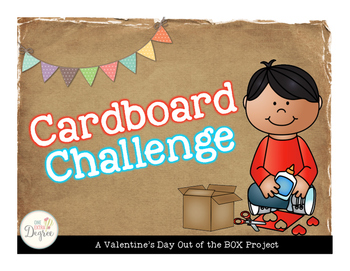
Today we are starting the Cardboard Challenge! My students will be using the Engineering Design Process to create a Valentine's card box. The project is based on a kid who built a cardboard arcade in his father's auto parts store. My students will be challenged to build a cardboard Valentine's box out of whatever they can find in our classroom or at home. I have a pretty high group this year, so to up the ante a little bit, I am requiring their box to have some kind of a game element like Caine's arcade has. They are so excited, and I can't wait to see what they come up with!
Standardized Testing
Ok, this isn't happening THIS week, but it is coming up very soon! We test the last week of February, and I am starting to plan review activities, test prep lessons, and some motivation & encouragement for my smarties. What are your favorite Test Prep activities or Test Week lessons/activities? I need some fresh ideas!
I can't wait to see what's been happening in everyone else's classroom this week! Head over to Doodle Bugs to check it out!
Technology Thursday is a weekly linky dedicated to all things technology related. Check out our Linky Parties page for details on how to link up!
I was hopelessly out of ideas for Tech Thursday this week. Ugh! What to write about? So I decided to ask my students what their favorite website is that we use in class. I got a couple of different answers but the winner was Storybird.com. It may have something to do with the fact that I just introduced it in January so it is still pretty new to my students. New = better sometimes. So my post this week is a website that is highly recommended by my 3rd grade students.
The official scoop: Storybird is a visual storytelling community. It is for artists, readers, and writers of all ages. The site boasts that it is "one part educational platform, one part real-time publishing, and one part social network".
My students' take: Storybird is a cool site to write stories on!
How much does it cost?
Although there is a premium membership, the regular teacher account is free. There are a few differences between the two, but I have never found a need for anything more than the free account.
How can teachers use the site?
Finding stories: The site has a wonderful storehouse of stories for students to read. The stories have fabulously artistic pictures and are written by other members of the site. Some are written by students just like them. Users can search for stories based on category, format, and age range. Some of the categories included are dream, diary, sci-fi, animals and there is so many more. Formats can be long form (chapter books), poem, or picture book. Most of my students prefer the picture books. You can also search by age ranges; the ones most pertinent are pre-school, kids, tweens and teens.
Writing stories: This is the most exciting part of this website. Students are so excited to write and create their own picture books and stories! It only takes a mini-lesson to teach students how to get started creating their own stories.
Writers click on the "Write" tab to get started.
The next step is searching for art. You can search for "tags" on art which are categories. Art tags include fun things such as big ears, tails, aliens, submarines, and dancing. The sky is the limit. You can also click on an art picture and look at pictures from just that artist.
Once you have selected the art you want for your story, click the button at the top of the page that says "Use This Art". A drop down menu will appear and you select the format of your story: long form, poem, or picture book.
Next, type in your text and position your pictures. It is easy to add pages to your book by clicking the plus button at the bottom right of the page. You can also navigate through your pages by clicking on the miniature pages at the bottom.
Clicking save...well, I think you know what that does...
Cool feature...you can add someone else in the class as a collaborator and work together on a book.
This video gives a very brief rundown of website's basics.
Storybird Studio: The Storybird Studio is the teacher dashboard and contains all of the teacher tools you will need. From the Studio, you can add classes, add students, edit passwords and user names, and monitor your class stories.
Setting up a class: Creating an account and setting up a class are super easy. I have embedded a video that shows how to register for the site, create a class, and add students.
Classes: Teachers can make as many classes as they want, and each class can contain 35 students.
Here is a great feature. Classes are private! Student names are hidden and the stories that the students write are contained in your virtual classroom. Students can comment on each other's stories, but these comments are only seen by your class.
Student stories are automatically published to the class library when complete.
Making an assignment:
Teachers can actually make assignments for their class. You can assign students to write a story about a certain theme, topic, or using a particular format. Teachers can explain the assignment and even add a video link, URL, or upload a file if needed. You can also set the due date. All assignments will appear on the student dashboard, and the completed assignments will go into an assignment library that is separate from the classes' general library. Students can read and comment on each other's work. Below is a short video on making an assignment in Storybird.
Here are a couple of stories written by previous students.
I know the samples I put up aren't "perfectly perfect", but I just love the creativity that this site brings out in my students!
The Favorite Things Linky is a great way to share your 3 favorite anythings! Grab the template and button and link up below! If this is your first time linking up, check out our Linky Parties page for more details!
Do you teach theme? My students struggle with it every year. This year, I approached it a bit different. Instead of just talking about different themes, I read specific books with specific themes. We then charted out the themes as we went. That way, my students had a book to reflect on while thinking about the theme of their books and future books that we will read. So here goes...
Let me break down the picture books and the themes that I use them for in my classroom...
This book is a fabulous book for teaching the theme of Courage. Molly Lou Melon is extremely short. She constantly gets teased by Ronald Durkin. She has some very special talents that help her overcome this bullying and stand out. Throughout the whole story, Molly Lou Melon has the courage to show her friends and classmates her talents. Ronald Durkin realizes his mistakes and the two of them actually become friends! We find out at the end where all of Molly Lou's courage comes from. This book is one of my favorites and one of my students' too!
I chose to focus on Compassion for this book. You could easily choose the theme of friendship or empathy. In this story, Champ dislikes Walter an awful lot. For a fundraiser, the person who raises the most money will win a truckload of potato chips. After Champ breaks his leg in a game, he is unable to play baseball for the rest of the season and he misses the "big game". Walter scores the winning run and everything seems to be going his way. He wins the truckload of chips too! Throughout the story, we find out that Walter's mom is a single parent. They don't have much money and he has to ride his rusty bike everywhere. In the end, Walter shows Champ that it isn't all about having the best of everything. Sometimes it is so much more than that! {Spoiler Alert: They become friends!!!}
This book is a super cute. It is the story of, "The Boy Who Cried Wolf" only it has Bigfoot in it. Oh, and it is told from the point of view of Bigfoot. I think it gives the story an interesting perspective. Throughout the story, Ben keeps telling everyone in the town that he just saw Bigfoot. At one point, he even uses a prop to make gigantic footprints. Eventually, everyone decides that he isn't being honest and that he is lying. Then, Bigfoot actually appears! He says that he is intrigued by this tenacious little fellow. When Ben tries to tell everyone that Bigfoot is there and he is "stealing" his bike and his dog, no one believes him so no one comes to see. It wraps up by showing readers, that always telling the truth is so important!
Can't wait to see what your Three Favorite... Anythings are! Make sure you grab the graphic/button above and link up below.
The Sunday Scoop is based on the popular 3-2-1 graphic organizers so many of us use with our students. Tell us three things you HAVE to do, two things you HOPE to do, and one thing you're HAPPY to do. If this is your first time linking up, check out our Linky Parties page for details!
Here is my scoop for the week!
Have To: I am in charge of bringing the dessert tonight so I am making homemade fudgey brownies. Then I need to wash some laundry {like always} and get ready for my observation on Tuesday. I can't wait for it to be over!
Hope To: Get some sub plans done for the end of the month. I am attending the EdExpo in Atlanta and I will need to do sub plans for 2 days! I like to get the gist of them done ahead of time and then make final tweaks the day before. I hope to find some time to shop some Game Day sales on TpT! There are a bunch of sellers having a sale! Can't wait to find some new great products. All three of us are having a sale! Make sure you head over and check out our stores. :)
Happy To: Spend some quality time with my husband's family watching the Super Bowl this evening. They have a big supper planned and of course some yummy appetizers! Do you have plans to watch the Super Bowl? I am hoping for some great commercials this year!
Link up with your Sunday Scoop Below! Can't wait to read about what you have going on today and this week! Happy Sunday Friends!