Sunday, June 28, 2015

Sunday Scoop {6.28.15}


The Sunday Scoop is based on the popular 3-2-1 graphic organizers so many of us use with our students. Tell us three things you HAVE to do, two things you HOPE to do, and one thing you're HAPPY to do. If this is your first time linking up, check out all the details on our Sunday Scoop page, then link up below!

Here's the Scoop on my week...
What are you up to this week?

 photo Signature-CASSIE_zpsaxxtaak1.png


Thursday, June 25, 2015

Tech Tips for #TPTVegas15 {Tech Thursday}


I know Tech Thursday is only monthly through the summer, but you guys know how I love to share tech tips, so... Here are a couple just for the TPT conference. If you're not going to the conference, we will miss you, but check back again on July 9 for another great tech tip!

1. Expensify
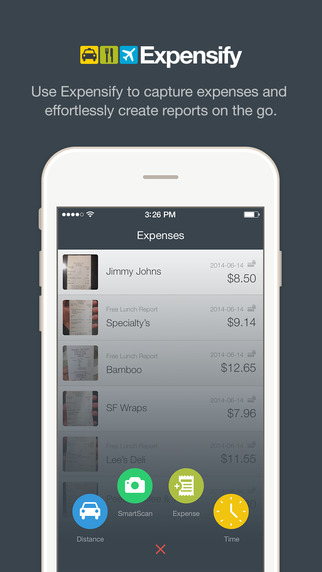
Just about everything you pay for in Vegas is a business expense, so be sure you're saving receipts! Last year, a lot of my receipts had faded by the time I got home, so I wanted to find a better way to save them for this year. Expensify is a free app (in the App Store or Google Play) that allows you to scan in your receipts and assign them to different categories or events.

When you scan your receipt, it automatically reads the location, date, and amounts for you and enters them into your reports! Super easy to get your total amounts for tax purposes, and it keeps the scanned images in case you need to prove them later. Say goodbye to the big envelope of crumpled, faded receipts! I scan mine as soon as I get them, so I don't have to worry about losing them.

It does have options to link to your bank account and credit card, but I am not comfortable with that, so I haven't done it.

2. The Venetian/Palazzo App

The Venetian has an app. It will give you directions. 'Nuff said! No, but seriously, that place is H.U.G.E. so anything that can help me figure out where I'm going is good!! (App Store or Google Play)


3. Notability

If you'd rather take notes on your iPad, I found a great app last year, called Notability (App Store). You can save your conference handouts to the app, and write directly on them with a stylus or type using your touchpad. There are more details in this post from last summer if you'd like to see screenshots , how-to, and all that good stuff. Notability is only for Apple devices, but for you Android users, Papyrus looks pretty similar (Google Play).


4. Portable Charger for your Devices

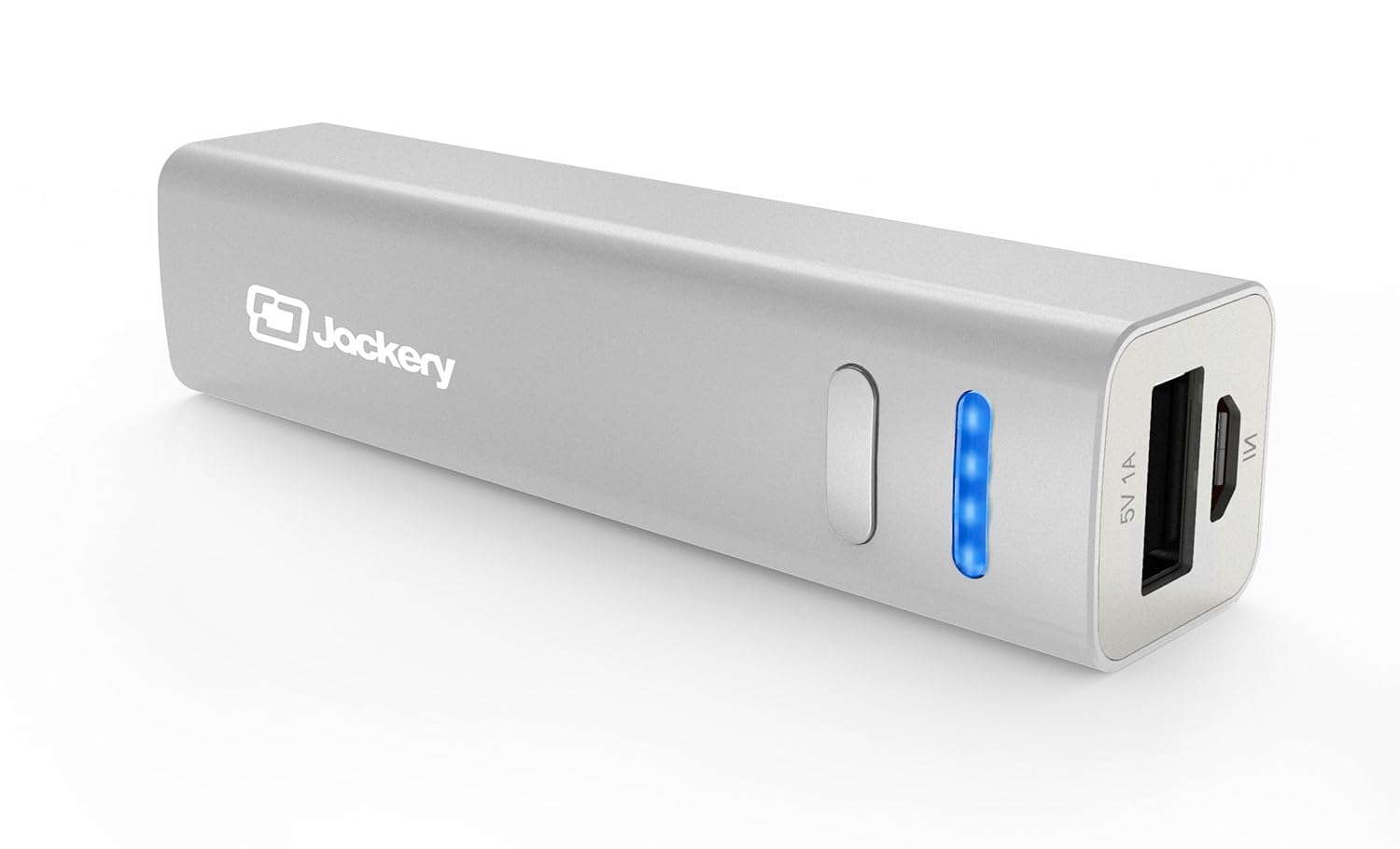
There is some kind of cell-phone-killing, iPad-battery-draining life force inside the hotel! You will be using your device a lot (with free WiFi from TPT!) to make connections with people you meet. Don't  be the one tied to an outlet trying to charge your phone in between sessions! There are lots of good, inexpensive pocket chargers out there. Here's the one I have, and have been pleased with:

5. Packing List Freebie

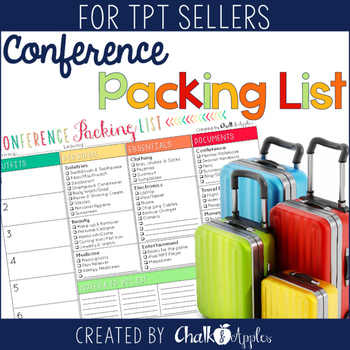
Ok, so this isn't a tech tip, but I thought I'd share that I made a Conference Packing List Freebie in case you're feeling as overwhelmed as I am about making sure you pack everything you need for the trip! Grab it in my TPT Store if you can use it! 

Remember, our Tech Thursday Linky is new on the second Thursday of each month for the summer, but you can link up every Thursday, if you like! Check out some of the other great linkups for this month below! 


 photo Signature - KRISTEN_zpsnquvy8un.png


    An InLinkz Link-up
   

Sunday, June 21, 2015

Sunday Scoop: Father's Day 2015


The Sunday Scoop is based on the popular 3-2-1 graphic organizers so many of us use with our students. Tell us three things you HAVE to do, two things you HOPE to do, and one thing you're HAPPY to do. If this is your first time linking up, check out all the details on our Sunday Scoop page, then link up below!

Here's the Scoop on my week...


One of my favorite pictures of my daughter and my daddy!


My mamma and my daddy!


My daddy deserves honor because he is an honorable man: he means what he says and says what he means.  He keeps his word and his vows before God. He isn't perfect, but he is as close as I have ever found. He is always there for me and my children. I thank God that he is mine.

 photo Signature-JULIET_zpskkoxehux.png


Wednesday, June 17, 2015

Simple Art Project to Start the Year


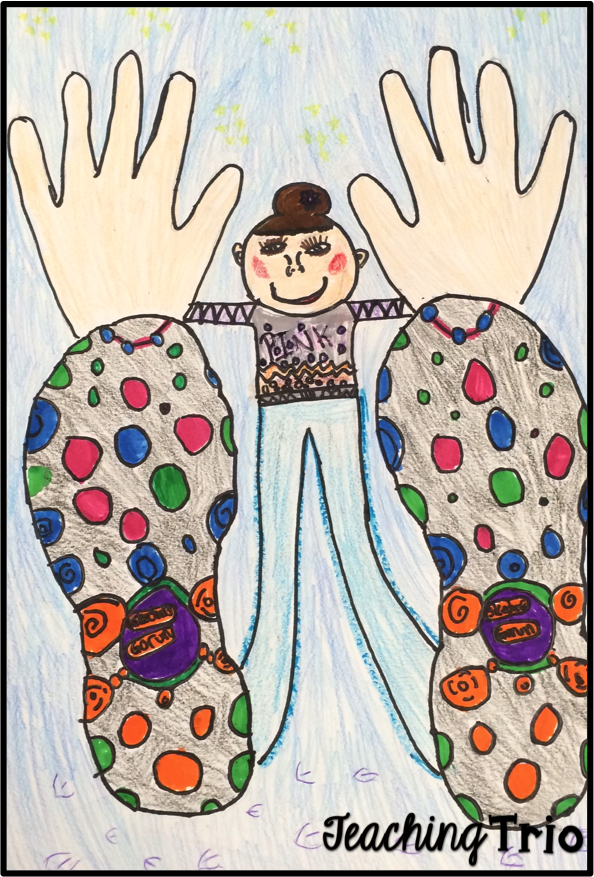
At the beginning of the year, I like to start with some art projects that are easy for students. They help to reinforce listening skills, remind how to use markers/crayons/colored pencils and get the students socializing so that I get to know them a little bit. Plus, it gives me a quick idea of which students have artistic abilities and which students struggle with it. Here is one of my favorite art projects to do in the first few days of school. {Idea was seen on Pinterest.}


 To complete this project, all you need is a sheet of white construction paper, pencil and whatever you want your students to color with. Simply have them trace their hands and their shoes so they somewhat overlap. Then have them draw in their bodies and add all the details to their shoes and clothing. Then they can color. As you can see, The details on the bottoms of their shoes can be a bit tricky but I tell them to do just do the best that they can! I love how they turn out and it gives me a quick snapshot of their artistic abilities.

Do you do any specific art projects at the beginning of the year? I would love to hear what you do!!

 photo Signature-CASSIE_zpsaxxtaak1.png

Sunday, June 14, 2015

Sunday Scoop {6-14-15}


The Sunday Scoop is based on the popular 3-2-1 graphic organizers so many of us use with our students. Tell us three things you HAVE to do, two things you HOPE to do, and one thing you're HAPPY to do. If this is your first time linking up, check out all the details on our Sunday Scoop page, then link up below!

Here's the scoop on the last day of my first summer trip of the year...

Link up your Scoop below!!

 photo Signature - KRISTEN_zpsnquvy8un.png


    An InLinkz Link-up