
Technology Thursday is a weekly linky dedicated to all things technology related. Check out our
Linky Parties page for details on how to link up!
Today, I am sharing some of my favorite math websites. These are staples in my classroom, and my students love them as much as I do!
XtraMath is a great way to get students practicing basic math facts daily. I have used it in class as a math station and also as homework. Students like it, and it keeps them practicing those all important facts over and over. (Did I mention it's FREE?!)
Students practice assigned facts for 7 minutes each session, and take progress quizzes throughout the program. Teachers can easily see how students did with the easy color coded grids.
As the teacher, you can select a program for your students, choosing from a variety of combinations of operations as well as single operation programs. You can also customize the time limit students are given to answer. The default setting is all four operations, with a three second time limit. When students master a set of facts, you will receive an email notification and a certificate to print!
IXL offers practice activities for every math skill imaginable for Pre-K through Precalculus. This one isn't free, and it's actually quite expensive, at $249/year for a class membership. Our school's PTO purchases a site license for the entire school every year, and we love them for it! IXL has also recently added Language Arts activities, but our school hasn't started using them yet.
I assign IXL skills based on the concept I am currently teaching, and reward students with a ClassDojo point for completing a skill. My students are very motivated by this, and often complete skills at home on their own, without me even assigning them!
IXL has tons of report options for teachers, too, so you can easily see which students are struggling or excelling. Reports are available for student usage, student performance, trouble spots, progress monitoring, and standards mastery.
StudyJams is a Scholastic site with videos & tutorials for math and science concepts, mostly in the intermediate grades. Skills are grouped by categories, not grade levels, but I am always able to find what I am looking for using the search function.
Each skill has either a video or a step-by-step tutorial that is engaging and relevant to students while teaching the target skill. Also included is a short quiz to check for student understanding.
I often use StudyJams videos for students who missed instruction due to absences or pull-out appointments. Many times, the video can help "catch up" these students, and free up some of my time to work directly with them on the skills.
What are some of your favorite websites? I am always looking for new sites to keep our learning fresh and fun!

An InLinkz Link-up







 The top wishlisted item at Cassie's Funky in Fourth store is her Layers of the Earth Unit. Buyers love all the graphic organizers and the included lab activities!
 Most wishlisted at Juliet's store, Tech Crazy Teacher is her Island Treasure Map project. In this fun and engaging activity, students use many different map skills to create their own island and hide a treasure on it! Includes everything you need, even antique paper, and a rubric for easy assessment.
 #2 from Chalk & Apples is my Word Work for Big Kids! I created this product out of a need in my own classroom for some challenging word work activities that I could use over and over with our vocabulary words in my 5th grade class, and I still use it daily! PS - It's also included as a freebie with my Growing Vocabulary Roots: Morphology Word Study Unit 1, so don't buy it twice!
 Second from Funky in Fourth is Cassie's STEM Challenge Series Bundle. This bundle is still in progress, but will include TEN great STEM activities by January. Each challenge includes complete lesson plans, student recording sheets, and tips.
 Juliet's second most wishlisted item is her Rapid Words Sight Word Fluency Program. This complete program provides fun and engaging weekly homework for practicing sight word fluency throughout the entire year! Everything you need is included.
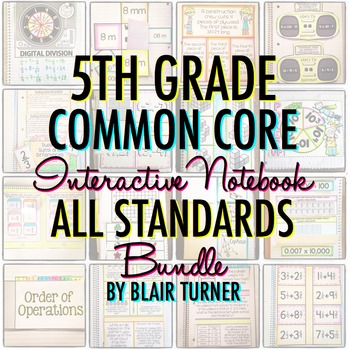 This one is HUGE, so I've been waiting for a sale to buy it... I can't wait to get Blair Turner's Interactive Math Notebook Bundle for 5th Grade! It is chock full of interactive notebook templates & lessons for everything we teach, and I can't wait to start using it with my fifthies!
  Cassie can't wait to start using The Brown Bag Teacher's Reading Response Letters. These look like such a great way to start conversations with each student about the books they are reading!
  Juliet is looking forward to challenging her students to think more deeply about what they've read by using Anna Brantley's HOTS Reading Response Sheets. I love them too... if she made them for 5th grade, they'd be on my wishlist in a heartbeat. What's on your wishlist? Head over to Ideas by Jivey to link up!
